8 Best Construction Lead Generation Platforms

The best construction lead generation platforms are Google Local Services Ads, Angi Leads, Networx, Modernize, Houzz Pro, BuildZoom, Porch Pro and Thumbtack. Each sells contractor leads a different way, so the pricing model matters as much as the volume of homeowner inquiries. Matching that model to your trade, your service area and your follow-up speed decides how much signed work the same budget returns.
Why Trust Us on Construction Lead Generation:
Our 28 specialists have delivered more than 180 campaigns across 14 industries, and contractor lead budgets sit inside many of them. Those accounts average a 4.2x increase in qualified leads within 90 days.
Need Help Choosing Lead Generation Platforms?
Not sure which platform fits your trade or territory? Get in touch and we’ll map your lead sources against your close rate, and our small business digital marketing team takes it from there.
Best Construction Lead Generation Platforms Comparison
Eight platforms take up most of the contractor lead-buying conversation, and they price the same homeowner demand very differently. The table below lines up how each one charges and who it suits.
| Platform | How You Pay | What You Get | Best Fit |
|---|---|---|---|
| Google Local Services Ads | Pay per lead, you set the budget | Calls and messages sent through your ad | Verified local visibility |
| Angi Leads | Pay per lead | Leads shared with other contractors | High homeowner search volume |
| Networx | Pay per lead, or an exclusive leads plan | Published price bands per lead | Contractors who want price transparency |
| Modernize | Custom quote by revenue, trade and zip code | Qualified homeowner matches | Replacement and remodeling trades |
| Houzz Pro | Free plan, or a $399 a month Pro plan | Project software plus homeowner reach | Design-led remodelers |
| BuildZoom | Free profile, referral fee on won projects | Matched project introductions | Contractors who prefer paying on results |
| Porch Pro | Buy leads singly, or set a monthly budget | Verified Leads priced by project size | Capping monthly lead spend |
| Thumbtack | Marketplace matching, rates not published | Shared homeowner requests | Testing a new service area |
Read it the way you’d read a channel comparison inside a digital marketing audit, one column at a time. The cheapest lead on the page is rarely the cheapest signed job.
Best Construction Lead Generation Platforms Reviews
Here is how each platform performs for construction teams, reviewed one by one.
1) Google Local Services Ads: Best for Verified Local Visibility

Local Services Ads Overview
- Pay per lead, not per click
- You set the weekly or monthly budget
- Budget is adjustable at any time
- Google Verified badge after identity checks
- No published rate card, only a budget calculator
How Local Services Ads Work
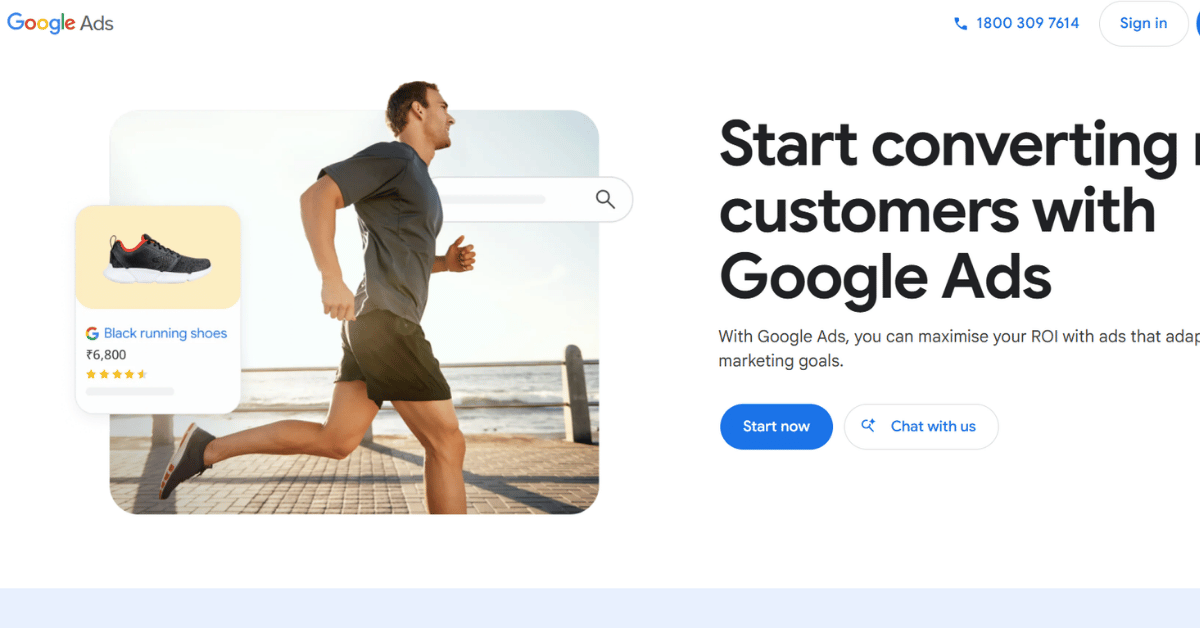
Google’s own product page is blunt about the billing model. You only pay when a potential customer gets in touch through your ad. That puts the unit above the standard search results, and below your own risk.
The Google Verified badge is the piece contractors underrate. It comes after checks on business registration and identity, and homeowners treat it as a shortcut for judging whether a stranger belongs on their property.
Google doesn’t publish per-lead pricing anywhere on the product page. It points you at an on-page budget calculator instead, which means your first month is a measurement exercise rather than a plan.
We used to treat this as a bolt-on to search ads. After watching it outperform standard campaigns on three separate contractor accounts, it now goes first in the digital marketing strategy for any residential trade.
- Sits above the paid search results
- You pay for contacts, not clicks
- Verification badge builds homeowner confidence
- Budget control is immediate and granular
- No middleman reselling the same inquiry
- Verification takes paperwork and patience
- Availability varies by trade and country
- No published price means no easy forecast
- Reviews and responsiveness affect your ranking
- Missed calls quietly cost you placement
Why Local Services Ads Rank First
It’s the only option here where the homeowner contacts you directly rather than a marketplace that sells the same name onward. That single difference changes the arithmetic of every other platform on this page.
Bottom line: If you can only run one paid lead source, start here. Get verified before you spend anywhere else, because the badge and the placement compound. A purchased lead disappears the moment someone else answers the phone first.
2) Angi Leads: Best for Homeowner Search Volume
Angi Leads at a Glance
- Pay per lead pricing model
- Leads are shared, not exclusive
- Broad residential trade coverage
- CraftJack now redirects into Angi’s pro signup
- Official fee figures are not publicly viewable
How Angi Leads Sells Work
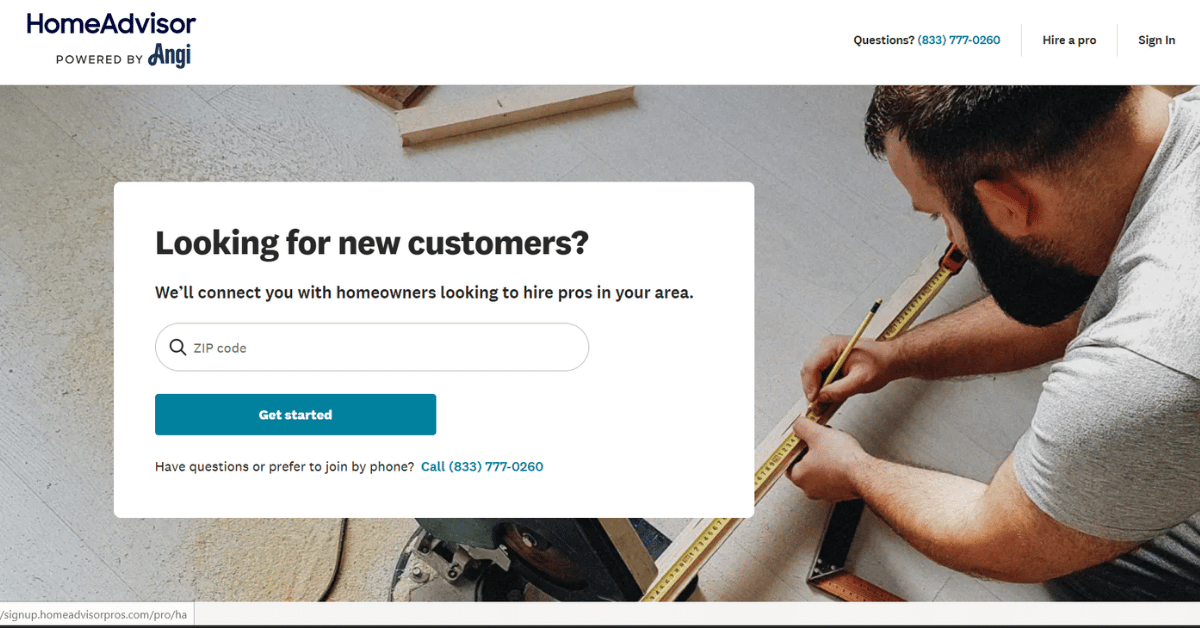
Angi runs a pay-per-lead marketplace, and the leads it sends are shared rather than exclusive. Several contractors receive the same homeowner, so the job usually goes to whoever responds first.
That structure rewards a dispatcher more than a marketer. Across the residential accounts we manage, the response window decides most Angi wins long before price enters the conversation.
Angi’s own membership and signup pages block outside access, so the dollar figures circulating in roundup posts aren’t numbers to budget from. Ask for the rate card covering your zip code before you sign anything.
CraftJack, once a separate contractor lead brand, now redirects into Angi’s pro signup. For anyone planning a roofing digital marketing budget, that means one account where there used to be two.
- Strong homeowner brand recognition
- Covers most residential trades
- Steady lead flow in dense metros
- One signup now reaches the former CraftJack audience
- Works without your own ad account
- Shared leads turn every job into a race
- Membership and per-lead costs are not published
- Lead quality swings by trade and zip code
- You carry the cost of leads that never answer
- Competition pushes up the real cost per job
Is Angi Leads Worth the Spend?
It earns its place if you have someone answering inside a few minutes during working hours. Without that, you’re buying introductions your competitors get to use first.
Worth knowing: Before you commit a monthly budget, run a two-week test with one trade and one zip code. Log every lead’s answer time. Then compare the closed jobs against what the same money would buy in verified local search placement.
3) Networx: Best for Published Lead Prices

Networx Essentials
- No setup fees to join
- No contracts or long-term commitments
- Pay Per Lead plan with published price bands
- Separate Exclusive Leads plan available
- Lead prices vary with job size
Why Networx Pricing Is Different
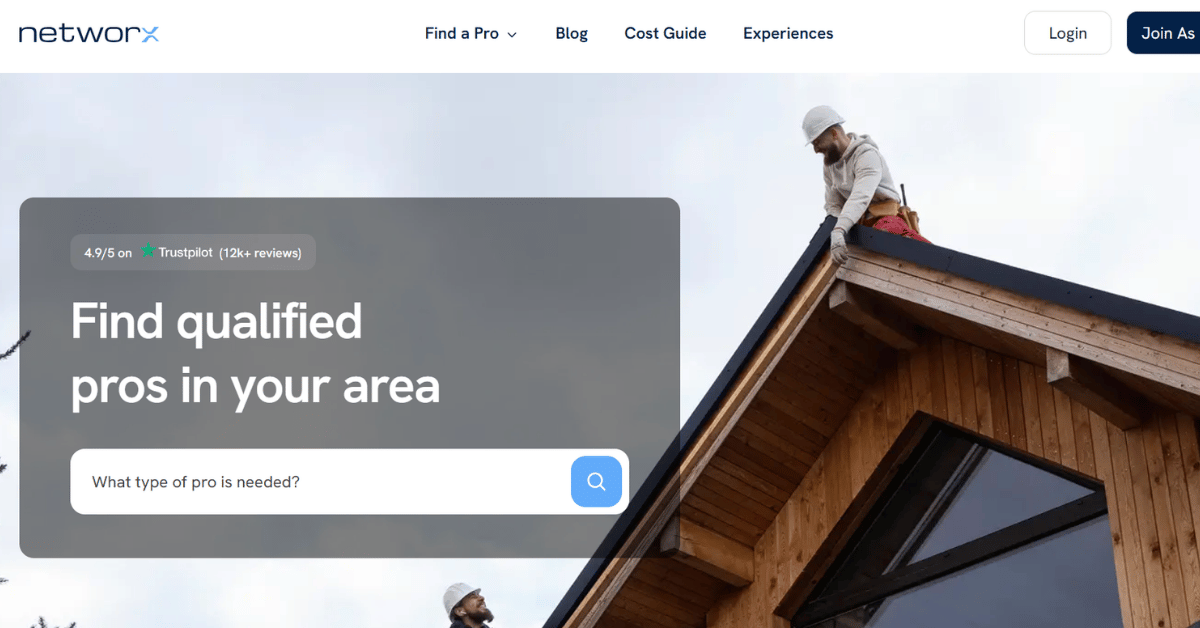
Most lead sellers keep their rate card behind a sales conversation. Networx puts numbers on its own help pages, which is rare enough in this category to matter.
Networx’s own help center puts Pay Per Lead prices between $10 and $100 or more, and Exclusive Leads between $15 and $120 or more. The company also states there are no setup fees and no contracts.
Published bands let you model a month before you spend it. That’s the difference between testing a channel and gambling on one.
The exclusive tier is where the value usually sits for trades with a long quote cycle. We see it work best for plumber digital marketing and similar repeat-service trades, where one won job is worth several later calls.
- Price ranges are stated openly
- Nothing to pay before your first lead
- No contract to unwind if it underperforms
- Exclusive option removes the race to respond
- Easy to model a monthly ceiling
- Smaller homeowner audience than the big marketplaces
- Top of each band is open-ended
- Exclusive leads carry a clear premium
- Coverage thins outside major metros
- Little independent contractor review history
Where Networx Earns Its Place
Networx suits the contractor who wants a predictable ceiling more than raw volume. The published bands and the absent contract make it a low-risk second source rather than a primary one.
Keep in mind: Those price bands describe the lead, not the job. Ask which end of the range your trade and zip code actually land in. Don’t assume the $10 figure applies to the work you want to win.
4) Modernize: Best for Replacement and Remodeling Trades
Modernize Quick Facts
- Part of QuinStreet’s home services business
- Covers roofing, siding, windows and gutters
- Also HVAC, plumbing, electrical and remodeling
- States it qualifies over 40,000 homeowners weekly
- Pricing is quoted, never published
Who Modernize Serves
Modernize sits squarely in the replacement trades. Its contractor programs cover roofing, siding, windows, gutters, HVAC, plumbing, electrical, kitchen and bathroom remodeling, foundation work, flooring, solar and tree services.
The company says it qualifies more than 40,000 homeowners every week for contractor matching. That scale is the argument, and it’s a reasonable one for a trade with a defined project type.
Pricing is built per contractor from annual revenue bracket, primary trade and zip code, and it’s quoted through an account manager. You won’t find a number on the site, so budget conversations start on the phone.
There’s also a 360 Finance program offering instant homeowner financing. For anyone running HVAC digital marketing, financing at the quote stage often moves more jobs than another lead does.
- Deep coverage of replacement trades
- Large weekly pool of qualified homeowners
- Homeowner financing built into the offer
- Backed by an established parent company
- Pricing reflects your revenue and territory
- No published pricing to compare against
- You need an account manager conversation to start
- Weaker fit for general contracting
- Custom quotes make like-for-like comparison hard
- Terms depend on the bracket you fall into
Is Modernize a Fit for Your Trade?
If your work is a defined replacement project, Modernize is one of the better matches on this list. If you build custom, the fit weakens quickly.
Quick note: The quote is built around your revenue bracket and zip code. Get two quotes at different budget levels in the same call. Then compare the implied cost per lead, not the headline monthly figure.
5) Houzz Pro: Best for Design-Led Remodelers

Houzz Pro Snapshot
- Free plan at no cost
- Pro plan at $399 a month flat
- Custom and Enterprise plans are quote-based
- Free trial available
- Includes CRM, estimates, invoicing and payments

Software First, Leads Second
Houzz Pro is the outlier here because you’re buying software that happens to sit beside a homeowner audience. The free plan already carries the 3D floor planner, estimates and invoicing.
The $399 a month Pro plan adds online payments, assemblies, a CRM and phone plus live chat support, per Capterra’s listing. Capterra also shows a 4.3 out of 5 rating across 1,088 reviews, which is the strongest review picture in this group.
That bundle changes what you’re comparing. A flat monthly fee replaces a per-lead gamble, and the project software keeps earning even in a slow month.
It suits firms whose homeowners shop on visuals before price. The same logic drives B2C digital marketing for any trade where the portfolio does the selling.
- Genuine free tier to start on
- Flat monthly price, no per-lead surprises
- Estimating and invoicing in one place
- Free trial before you commit
- Highest rated option in this comparison
- $399 a month is steep for a small crew
- Leads are a by-product, not the product
- Strongest for design and remodeling work
- Custom plans need a vendor conversation
- Software value depends on your team using it
Who Should Pay for Houzz Pro?
Pay for it if the estimating and client portal replace tools you already fund. Treat it as a lead source alone and the monthly fee gets hard to defend.
One caveat: Run the free plan for a full quoting cycle first. The honest test is whether your estimators keep using it under deadline pressure. That matters more than whether the feature list looks complete on signup day.
6) Gryd: Best for Paying After You Win

Gryd Basics
- Free contractor profile
- No standard per-lead fee for a basic profile
- Referral fee charged on won projects
- Rated 4.2 out of 5 across 175 reviews
- Most of those reviewers recommend it
How Gryd Charges
Gryd flips the usual arrangement. Keeping a profile and receiving project leads costs nothing, and the company earns a percentage referral fee when a project is won.
That removes the worst part of lead buying, which is paying for names that never convert. It also means your cost only appears once revenue does.
BuildZoom’s contractor FAQ pages block outside access, so treat any specific percentage you read elsewhere as unconfirmed. Get the number in writing during onboarding, not from a comparison post.
SmartCustomer shows a 4.2 out of 5 rating from 175 reviews, with most reviewers recommending it. That’s a small sample, so weigh it beside your own test rather than instead of one. It’s the same caution we’d apply in real estate digital marketing, where referral quality varies by market.
- No upfront cost to receive leads
- You pay only on projects you win
- Cash flow risk sits with the platform
- Positive recommendation rate among reviewers
- Suits larger, less frequent projects
- Referral percentage is not published openly
- A fee on won work can exceed per-lead pricing
- Lead volume is lower than the big marketplaces
- Small review sample to judge from
- Reporting a won project relies on your honesty
When Gryd Makes Sense
It’s the right first move for a contractor with no marketing budget and real capacity to fill. The risk is that a percentage of a large project outgrows what a per-lead source would have cost.
Our take: Do the arithmetic on your average project value before signing. A percentage fee is generous on a bathroom refit and expensive on a full build. The crossover point is where this platform stops being free money.
7) Porch Pro: Best for Capping Monthly Lead Spend

Porch Pro Key Points
- Buy leads one at a time
- Or set a monthly budget for automatic delivery
- Both approaches can run together
- Each lead is priced individually
- Verified Leads are banded by project size
How Porch Pro Budgets Work
Porch lets you buy leads individually, set a monthly budget that delivers them automatically, or combine both. Each lead carries its own price, deducted from the budget until the budget is used up.
That hard stop is the appeal. You cannot accidentally spend beyond the ceiling you set, which is a rarer feature than it should be.
Porch’s pro resources describe Verified Leads in three bands. Small projects run roughly $10 to $49, medium projects $50 to $99, and large projects $100 to $155. Those figures come from Porch’s own guide content, though the page itself wouldn’t load for direct checking, so treat them as indicative.
Contractor sentiment is mixed, with a 3.4 out of 5 rating across 212 reviews on SmartCustomer. A capped budget is the safest way to test that for yourself. It pairs well with integrated digital marketing, where one channel is deliberately kept small.
- Hard monthly spending ceiling
- Buy single leads without a commitment
- Price scales with project size
- Two buying modes can run together
- Easy to pause without unwinding a contract
- Middling contractor review sentiment
- Published price bands are hard to verify
- Large project leads reach $155 apiece
- Budget can drain early in a busy week
- Lead quality varies by category
Where Porch Pro Fits a Budget
Porch works as a controlled experiment rather than a core channel. The ceiling protects you while you find out whether the leads convert in your market.
In practice: Start with single lead purchases in your strongest category for two weeks. Only switch on the automatic monthly budget once you know what a Porch lead is worth in signed work.
8) Thumbtack: Best for Testing a New Service Area

Thumbtack in Brief
- Marketplace matching homeowners with local pros
- Covers home improvement and contracting categories
- Homeowners contact several pros at once
- Rates are not published publicly
- Contractor review sentiment runs low
How Thumbtack Reaches Homeowners
Thumbtack is a marketplace rather than a lead broker in the traditional sense. Homeowners describe a job and several local professionals respond, which puts you in an open comparison from the first message.
The review picture is the part contractors should read carefully. SmartCustomer shows 1.8 out of 5 across more than 1,500 reviews, with roughly a quarter of reviewers recommending it.
That doesn’t make it useless. It makes it a test channel rather than a channel you build a year of capacity around.
Thumbtack’s own pro pricing page wouldn’t load for direct checking, so per-lead figures quoted elsewhere are unconfirmed. We treat it the way we treat any unproven source in electrician digital marketing, with a small budget and a short leash.
- Fast way to test an unfamiliar zip code
- Wide range of home service categories
- No website or ad account needed
- Homeowners arrive with a described job
- Easy to start and stop
- Weakest contractor review sentiment on this list
- Pricing is not published anywhere official
- You compete openly on every inquiry
- Homeowner intent varies widely
- Hard to forecast a monthly cost
Should Contractors Rely on Thumbtack?
Not as a primary source. As a cheap way to find out whether a neighbouring territory has demand worth chasing, it does a job the others don’t.
Summary: Use Thumbtack to answer a question about demand in a new area. Set a spend limit you would be comfortable writing off. Stop the moment your own search placement in that territory starts producing.
How Do You Judge a Construction Lead Generation Platform Before You Spend?
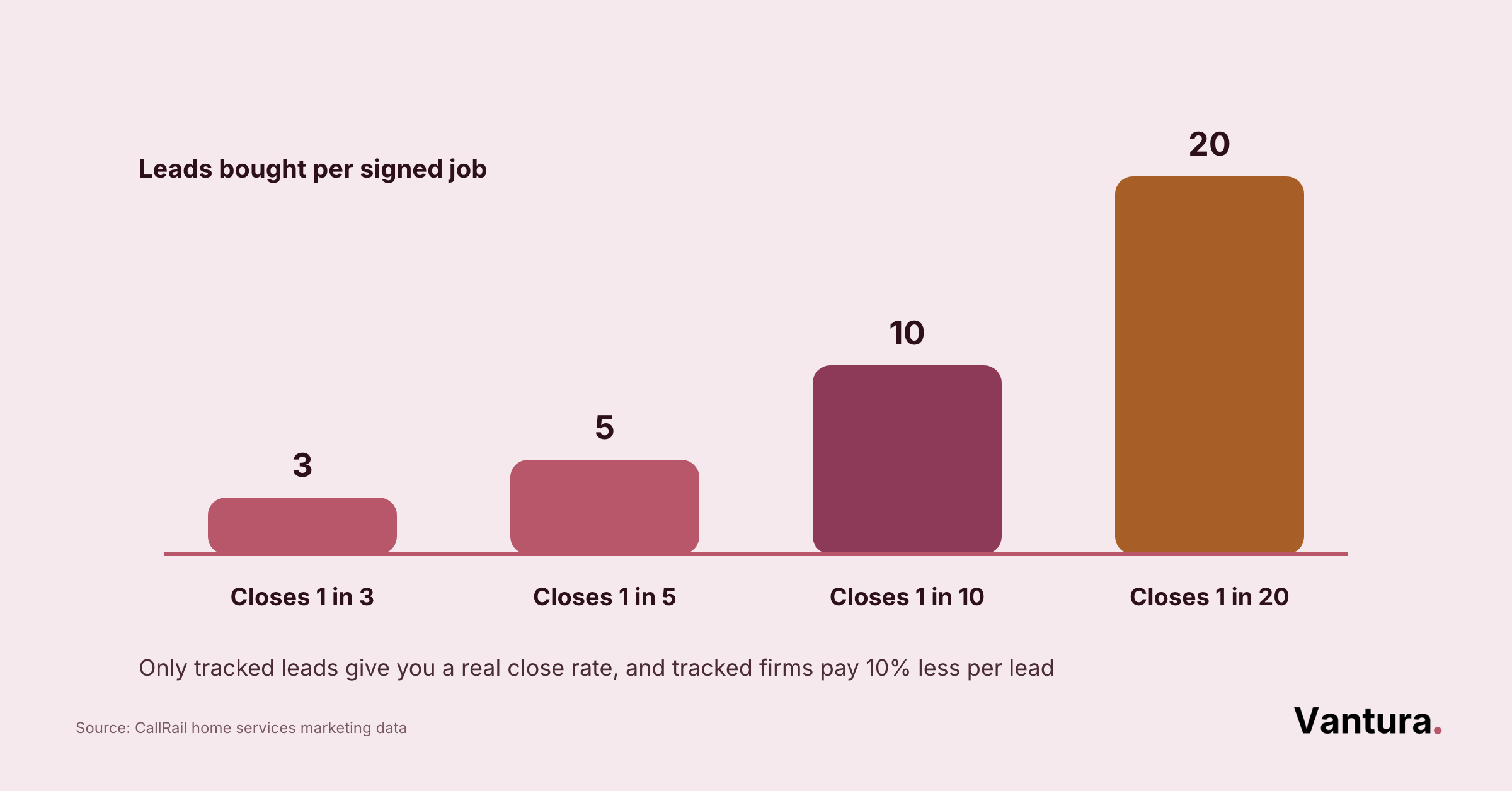
Judge a construction lead generation platform on cost per signed job, lead exclusivity, and whether it covers your trade and service area. Volume is the last thing to look at, not the first.
Start With the Lead Economics
Cost per lead is the number every platform shows you. Cost per signed job is the only one that pays your crew.
That gap gets expensive fast when the marketing budget is thin. Revenue Memo found that 66.3 percent of small business owners spend under $1,000 a year on marketing.
Cost Per Lead vs Cost Per Job
Take the platform’s lead price and divide it by your real close rate on that source. Guessing the close rate is how contractors end up defending a channel that never worked.
Across the contractor accounts we manage, shared leads close at roughly a third the rate of exclusive ones. That single ratio usually settles the argument between two platforms.
Shared or Exclusive
A shared lead is cheaper because you’re buying a chance, not a conversation. An exclusive lead costs more and removes the race entirely.
The right answer depends on who answers your phone. If nobody can respond within minutes, the exclusive tier is usually cheaper in the end.
Then Check the Fit
A platform can be well priced and still wrong for you. Coverage is where most of these deals quietly fall apart.
We used to recommend joining two marketplaces at once for faster data. After several accounts burned a quarter’s budget learning the same lesson twice, our digital marketing consulting advice is one platform at a time.
Trade and Service Area Coverage
Check that your exact trade appears in the platform’s own category list, not a close relative. Roofing and siding are separate programs on some platforms and one bucket on others.
Commercial work is where the gap widens most. Almost every option here is homeowner-facing, so commercial bids still lean on B2B digital marketing rather than a lead marketplace.
How Leads Reach Your Team
Ask how a lead physically arrives, because that decides your response time. An email to a shared inbox behaves very differently from a phone that rings.
Then ask what happens after hours and at weekends. That question has killed more lead sources for our clients than pricing ever has.
What Does It Take to Turn Platform Leads Into Signed Jobs?
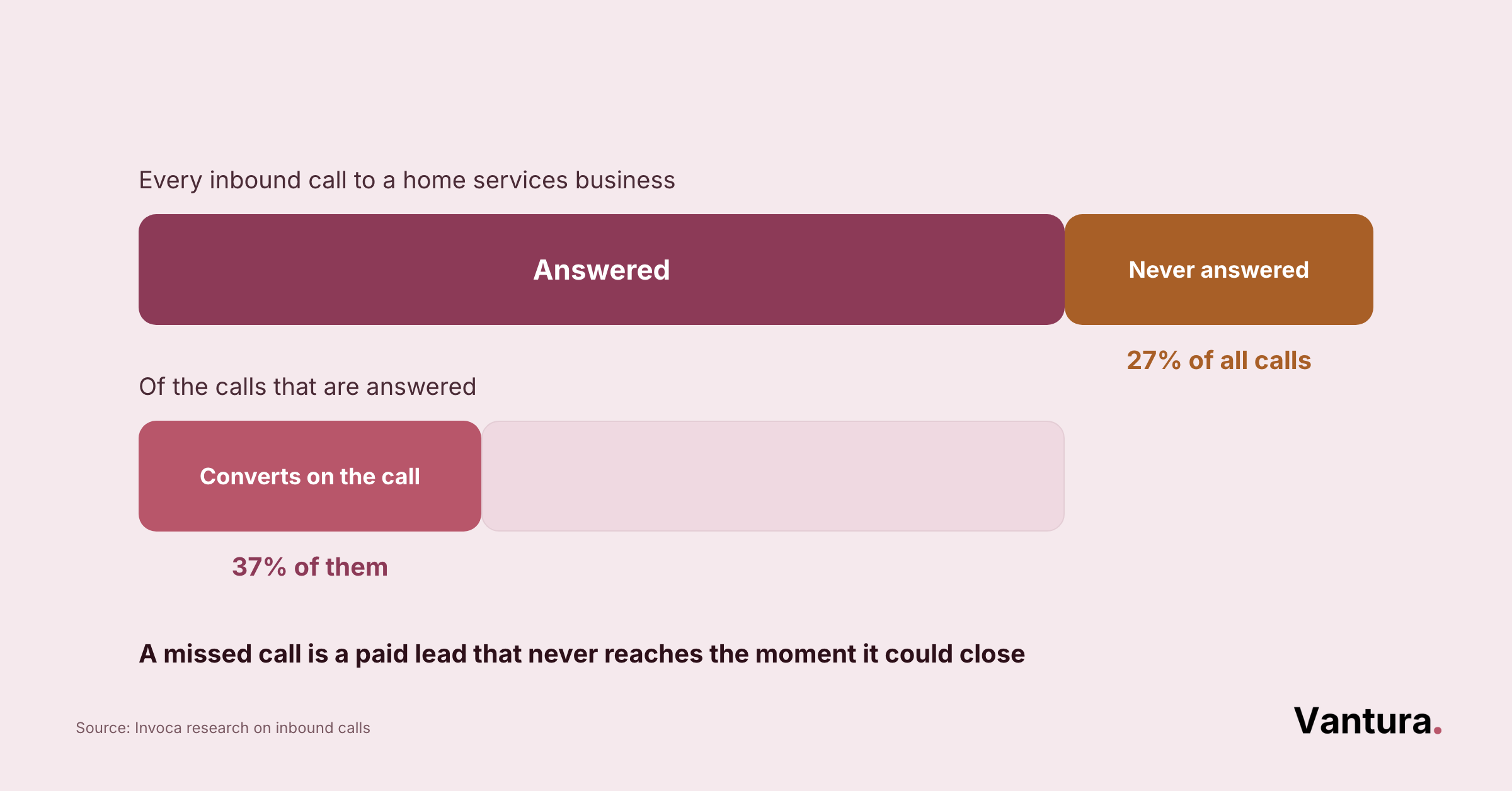
Turning bought leads into signed jobs comes down to speed, a written follow-up process, and knowing which lead type you’re paying for. The platform supplies the name, and everything after that is yours.
Answer Faster Than the Contractor Beside You
On any shared platform, the first useful reply usually wins. The rest of the field is paying for a conversation that already happened.
Speed isn’t a personality trait, it’s a rota. These are the pieces we put in place before switching a client’s lead budget on.
- One named owner for every incoming lead
- A ringing phone, not a shared inbox
- Cover for evenings and weekends
- A text sent within five minutes
- A second attempt the same day
Pro tip: Log the minutes between lead arrival and first contact for one month. Then compare your close rate above and below the ten minute mark before you change anything else.
Where Your Budget Should Sit
Most contractors split the wrong way, putting everything into one marketplace and nothing into their own visibility. Bought leads stop the day you stop paying, and search placement doesn’t.
The split between shared and exclusive is the second decision, and it changes the whole follow-up model. Compare the two honestly before you commit a quarter. Firms that outsource digital marketing tend to write this down, and the discipline shows.
Cheaper per name and useful for filling gaps in a quiet month. You need someone free to respond in minutes, because three or four rivals hold the same details. Best suited to smaller, faster jobs where the homeowner books the first credible answer. Expect a lower close rate and plan the volume around it.
Higher per name, and the conversation is yours alone. That suits larger projects where the homeowner wants a considered quote rather than the quickest one. The premium buys back your response window, which matters most for crews on site all day. Fewer leads, more of them worth pricing.
Neither column is the right answer on its own. Most of the contractors we work with end up running a small shared budget beside one exclusive source, and reviewing the split each quarter.
Three Habits That Lift Close Rates
These three cost nothing and move the number more than switching platforms does. Marketers who document their strategy, rather than just talk about it, are 414 percent more likely to report their campaigns succeed, per CoSchedule.
The same CoSchedule research found almost 40 percent of marketers run without any documented strategy at all, the exact ad-hoc habit that leaves so many construction lead budgets unaccountable.
#1 Quote in Person
Phone quotes lose to anyone who turns up. Book the visit on the first call, even for small work.
#2 Track the Source
Tag every lead with the platform it came from. Without that, you’re renewing budgets on a feeling.
#3 Follow Up Twice
Most contractors stop after one attempt. A second contact the next morning recovers work that looked dead, which is why franchise digital marketing teams script it.
The same discipline holds over longer cycles, which is why industrial digital marketing teams follow up the same way.
Construction Lead Generation Platforms FAQ
Pricing and plan details on these platforms change often, so confirm the current terms with each provider before you commit a budget. Your own close rate is the only benchmark that settles the question.
Disclaimer: This content is provided for general informational purposes only and does not constitute business, financial, or legal advice. Platform pricing, plans, features, and ratings are subject to change, and Vantura Marketing makes no warranty as to their accuracy or completeness. Verify all details directly with each provider before making purchasing decisions. Vantura Marketing accepts no liability for any loss arising from reliance on this content.