Top 9 Taboola Ads Features, Benefits & Hidden Gems

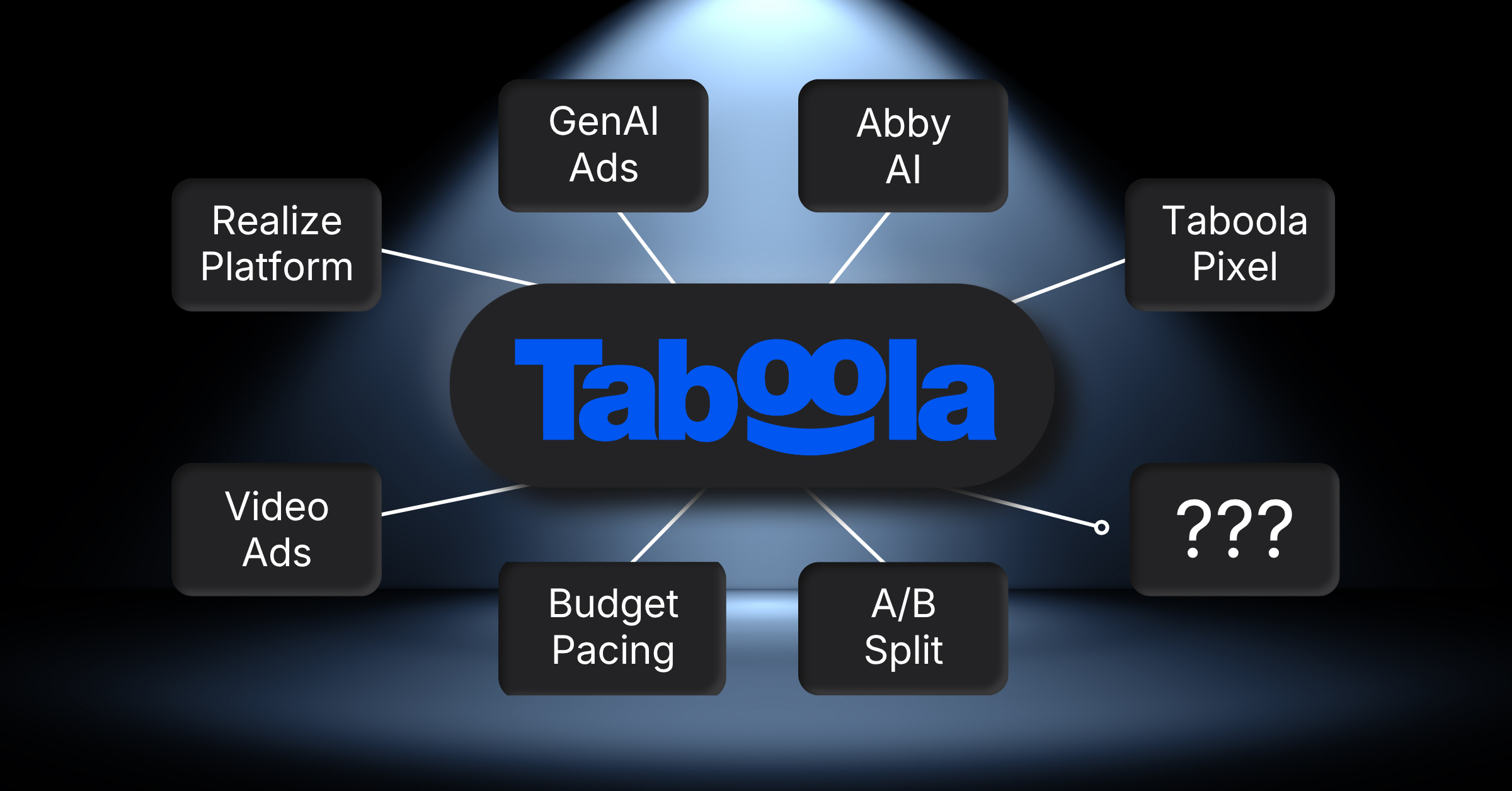
Taboola Ads features run from native placements inside publisher articles to AI creative tools, pixel tracking, and three separate budget controls. The strongest ones sit inside Realize, the advertiser side Taboola now runs its campaigns through. Pick the handful that match your funnel stage first, and treat the rest as later homework.
Why Trust Us on Taboola Ads:
Our 28 specialists have run native and paid campaigns across 14 industries. Between them the team carries 190 years of marketing experience, spread over more than 180 delivered campaigns.
Need Help Running Taboola Ads:
Reach out if you’d rather hand the account to a team that runs these daily. Our Taboola Ads management service covers setup, creative testing, and the weekly bid work.
The 9 Best Taboola Ads Features Worth Setting Up First
Taboola’s ad tools now sit under one name, Realize, and the menu is wider than most advertisers expect. These nine are the ones we switch on first when a new account lands with us.
Everything else can wait until the first campaign has real conversion data behind it.
1) Realize, the Advertiser Side of Taboola
Realize is where campaigns, creative, and reporting now live. Taboola’s own advertiser materials put the network at 600 million daily active users across vetted publisher sites.
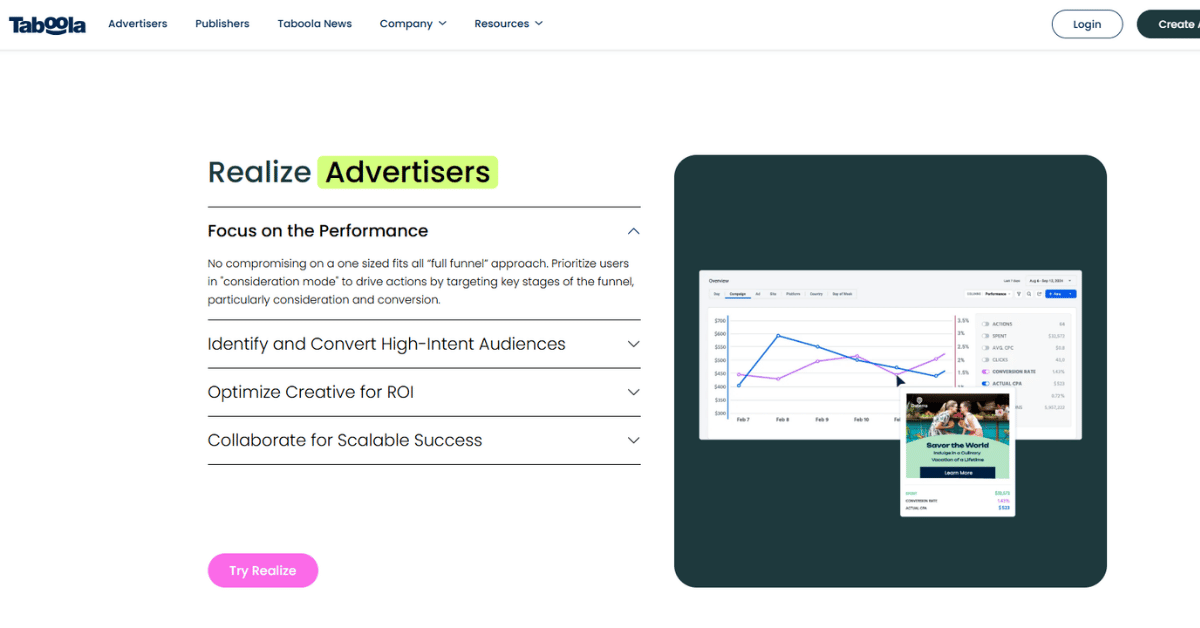
That number is why most people try the channel. It’s also why a loose first campaign can spend quickly and teach you very little.
Why the reach figure matters less than it looks
Reach only helps once the system knows what a good outcome looks like. Until your pixel fires, you’re paying for clicks from people who simply read a lot.
We treat week one as a mapping exercise rather than a performance test. For retail accounts we use the same warm-up covered in our Taboola Ads for ecommerce guide.
Worth knowing: Realize replaced the older Taboola Ads screens, so tutorials and screenshots you find online may not match what you see on your own account. Check the date on any guide before you follow it, because several menu names moved even where the underlying setting stayed the same.
2) Native, Video, and Carousel Formats in One Account
Taboola carries native ads, display, social creative, vertical video, carousel units, motion ads, and app promotion formats. You build them inside the same campaign flow.
That mix matters more than it sounds. Most native accounts stall because one creative shape gets tired, not because the audience ran out.
What the format list changes about your creative plan
You can rotate shapes instead of rewriting headlines forever. A carousel and a vertical video can carry the same offer into two very different reading moments.
Across our native accounts, roughly a third of creatives die on the thumbnail rather than the copy. Swapping the format usually beats another headline test.
Keep in mind: A format that works on a homepage feed often falls flat mid article, because the reader is already committed to something else. Build at least two shapes per offer before you decide the message itself is wrong.
3) Placements Across Articles, Homepages, and Devices
Placements run on publisher sites, homepages, article pages, and OEM surfaces built into devices. Each one catches a different reading moment.
Homepage units reach people who are browsing. Article units reach people already halfway through something they chose for themselves.
How placement choice changes the offer you show
Browsing readers respond to curiosity. Committed readers respond to a next step that feels related to what they were reading.
We split these into separate campaigns almost every time. It follows the same logic we found comparing placement performance in our Taboola vs Outbrain breakdown.
Quick check: Before you launch, picture where your top three creatives would appear and ask whether the headline still makes sense there. A promise that reads well on a homepage tile can look odd underneath a news article about something unrelated.
4) First-Party Publisher Data Behind the Targeting
Taboola says its matching models run on first-party data from deep publisher integrations, plus more than 17 years of accumulated data. That is the engine deciding who sees your ad.
You don’t hand it an audience list. You hand it conversions and let it read the pattern.
What you control when the model does the picking
You control the conversion definition, the creative, and the money. Those three inputs shape your audience far more than any targeting checkbox.
It is a different habit from list-led buying. Teams moving over from platforms like AdRoll usually find this the hardest adjustment to make, a shift we cover in our Taboola vs AdRoll comparison.
Setup note: Feed the model one clear conversion rather than five soft ones, because mixed signals push it toward whichever action is easiest to win. Newsletter signups and paid orders should almost never share the same optimization goal.
5) The GenAI AdMaker Suite for Creative Variants
The GenAI AdMaker Suite takes creative assets you already own and adapts them into new ad variants. You’re reworking, not starting from a blank page.
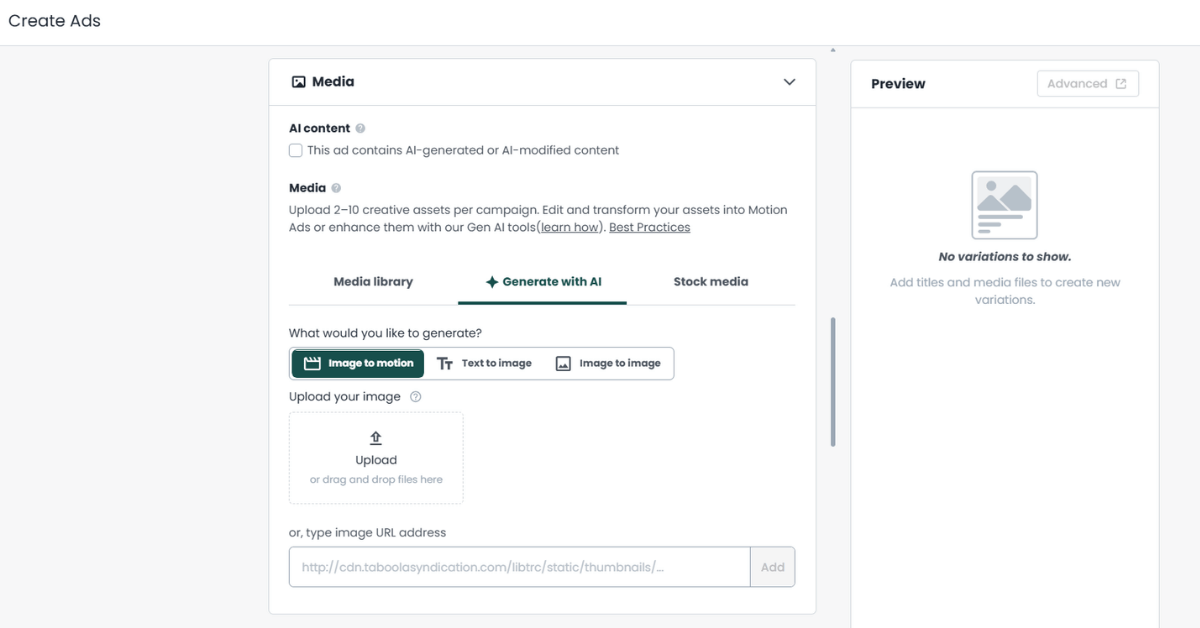
For small teams that removes the usual bottleneck. Creative supply is what limits most native accounts, not budget.
Where generated variants help and where they don’t
They are good at volume and at angles you would never have bothered to shoot. They are weaker on anything that needs a real product detail.
We still hand-write the strongest three per offer ourselves, then run the generated set as a testing tail behind those, the same workflow we detail in our Taboola Ads integrations guide.
Creative tip: Give the generator your best performing asset rather than your newest one, since it copies structure more than intent. Feeding it a weak starting image simply produces more weak images, faster.
6) Abby, the AI Assistant Inside the Account
Abby is an AI ad assistant available to advertisers inside Realize. It sits beside the build screens rather than replacing them.
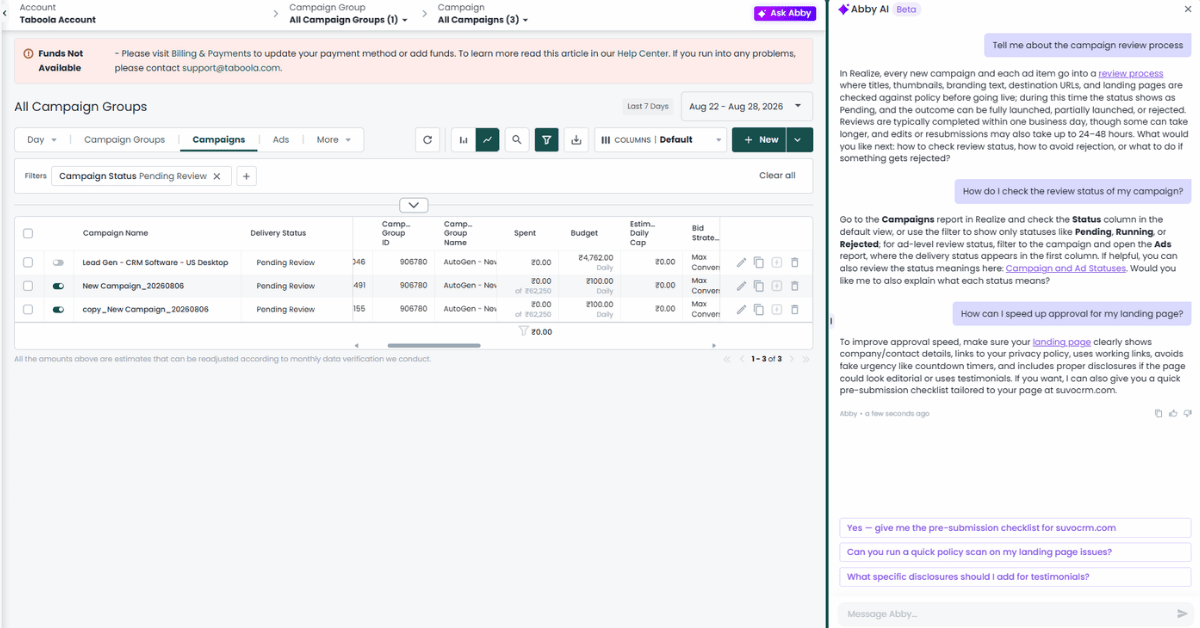
Treat it as a second pair of eyes on setup. It is quicker at spotting an empty field than at judging a strategy.
How to use an in-account assistant without over-trusting it
We use it for checks, drafts, and quick explanations of a setting. We don’t let it decide budget splits.
Anything it suggests still goes through the same review as human work. That habit came from watching an assistant recommend a change nobody could explain a week later.
Watch for: An assistant will happily answer a question about a setting that no longer exists, because product names on this account have changed more than once. Confirm anything structural against the current help documentation before you act on it.
7) Three Budget Types and Two Pacing Modes
Realize gives you three budget types. There’s a daily budget, a monthly budget that resets on the first of each month, and a lifetime budget capped for the campaign’s life.
Most of the smaller accounts we handle start on daily and never leave it, the same pattern we cover in our Taboola Ads best practices guide. Pacing then decides how fast that money goes out.
| Budget Type | Reporting Rhythm It Suits | What Catches Teams Out |
|---|---|---|
| Daily | Weekly check-ins, fast testing | Small swings look bigger than they are day to day |
| Monthly | Finance calendars tied to the calendar month | A bad early week can hide until pacing catches up later |
| Lifetime | Fixed-length launches with a hard ceiling | No cushion left if the campaign runs longer than planned |
Picking a budget shape that fits how you report
Default Pace spreads spend evenly across the period. Pace Ahead runs faster, taking the budget left over the days left and multiplying by 120 percent, and it only appears on monthly or lifetime budgets.
Size matters more than shape, though. Realize’s own scaling guidance says most campaigns need at least $300 a day to fully exit the machine learning phase.
Budget note: A monthly budget that resets on the first can hide a bad week, because pacing quietly catches up later in the month. Check spend against conversions every week rather than waiting for the reset to tell you something is wrong.
8) Optimized Delivery or a Clean A/B Split
Delivery has two settings. Optimized pushes impressions toward whatever performs, while A/B Testing splits impressions evenly.
The second one costs you money in the short run. It buys you an answer you can defend in a meeting.
When an even split is worth the slower start
Optimized delivery will crown a winner within days, and early clicks decide it. Use it once you trust the conversion signal you’re feeding the model.
An even split holds impressions steady across two genuinely different ideas, not two headlines. It costs more upfront but buys a fair read.
Bid strategy pairs with this choice. Realize’s guidance points to Max Conversions while you’re growing, then Target CPA once results settle down.
Test first: Run the even split until each side has enough conversions to mean something, which for most accounts is a couple of weeks rather than a couple of days. Switching to optimized delivery too early just locks in a lucky first morning.
9) The Taboola Pixel and Five Ways to Install It
The Taboola Pixel is a small code snippet that tracks user actions and collects data. It powers conversion tracking and custom audiences.
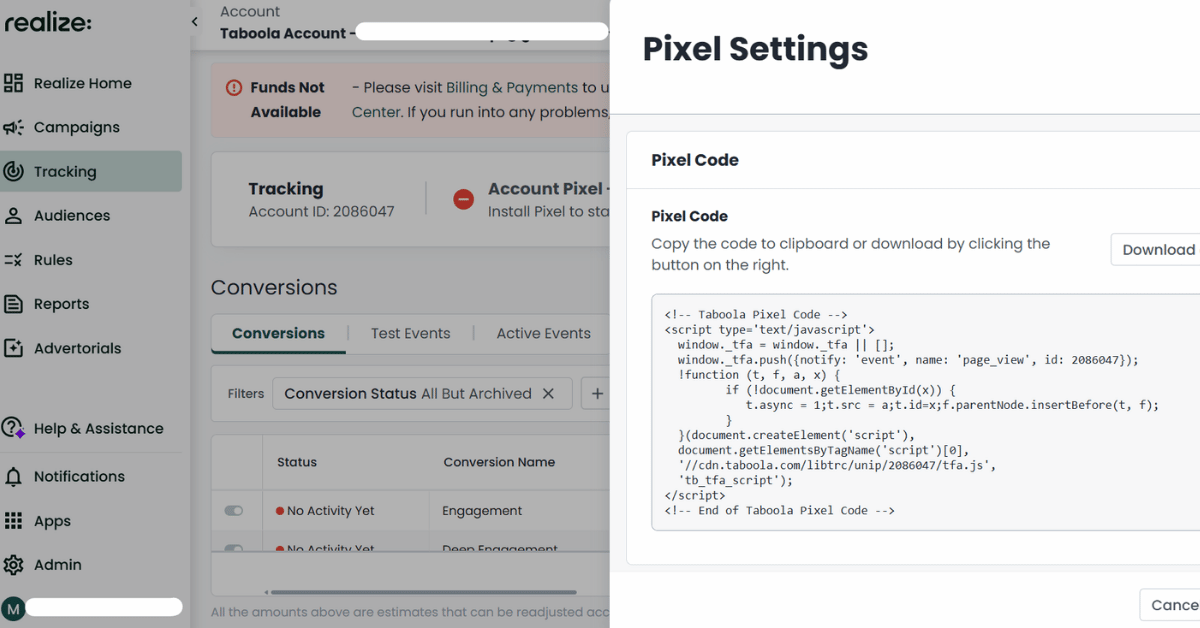
Event pixels sit on top of it and track the specific conversions you designate. That is the part most new accounts set up badly.
Why the install route changes your data quality
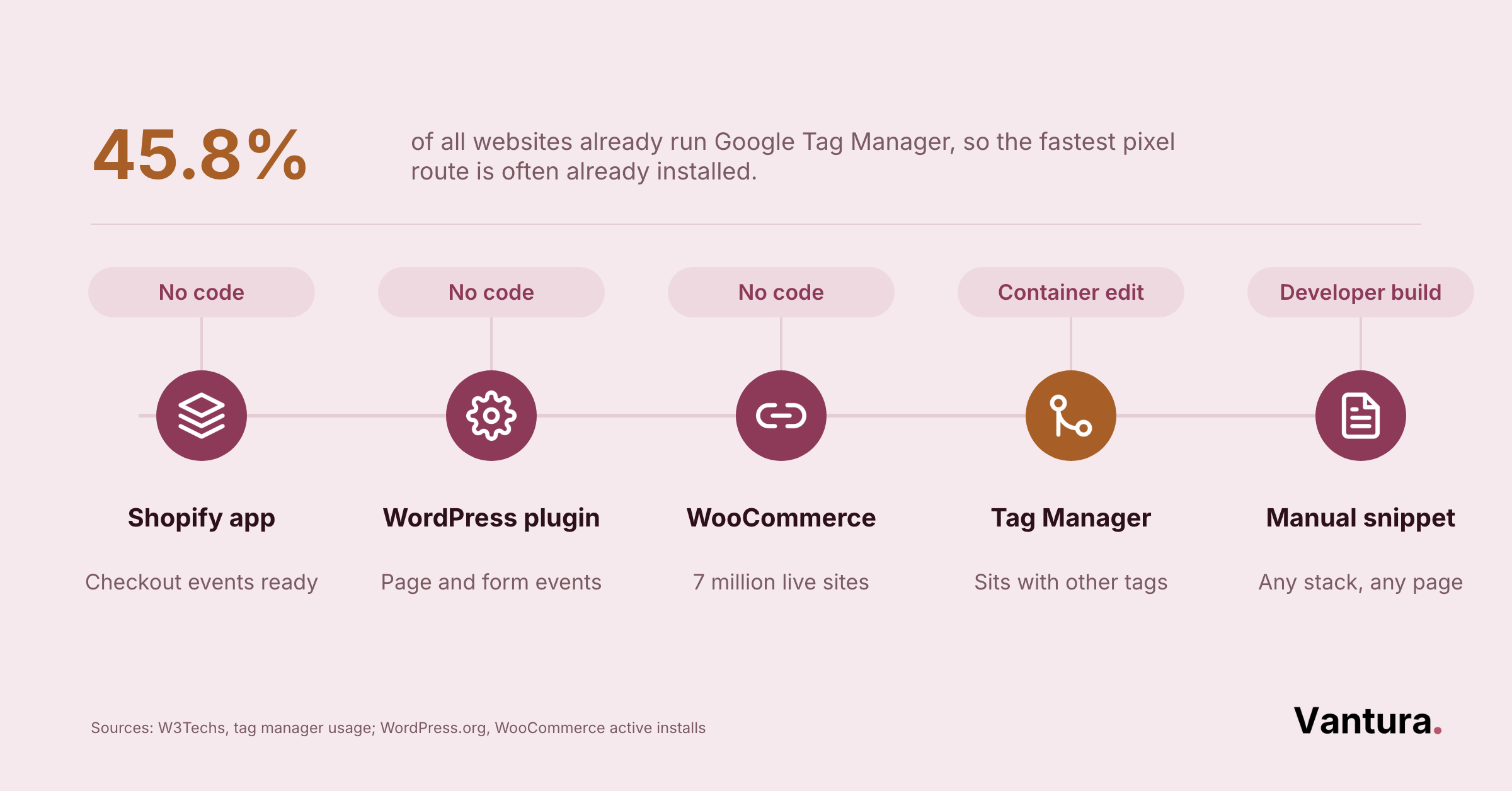
Five install methods are supported. You can use the Shopify app, the WooCommerce integration, the WordPress plugin, Google Tag Manager, or a manual build.
Server-to-server tracking and third-party attribution tools are offered as alternatives as well. We check this first on any account we inherit, the same habit our Taboola Ads troubleshooting guide starts with.
Tracking tip: A pixel that fires on every page view will report plenty of conversions and none of them will be real. Name your events deliberately, then walk one live purchase end to end before you trust a single report.
Top 7 Benefits of Using Taboola Ads for Paid Growth
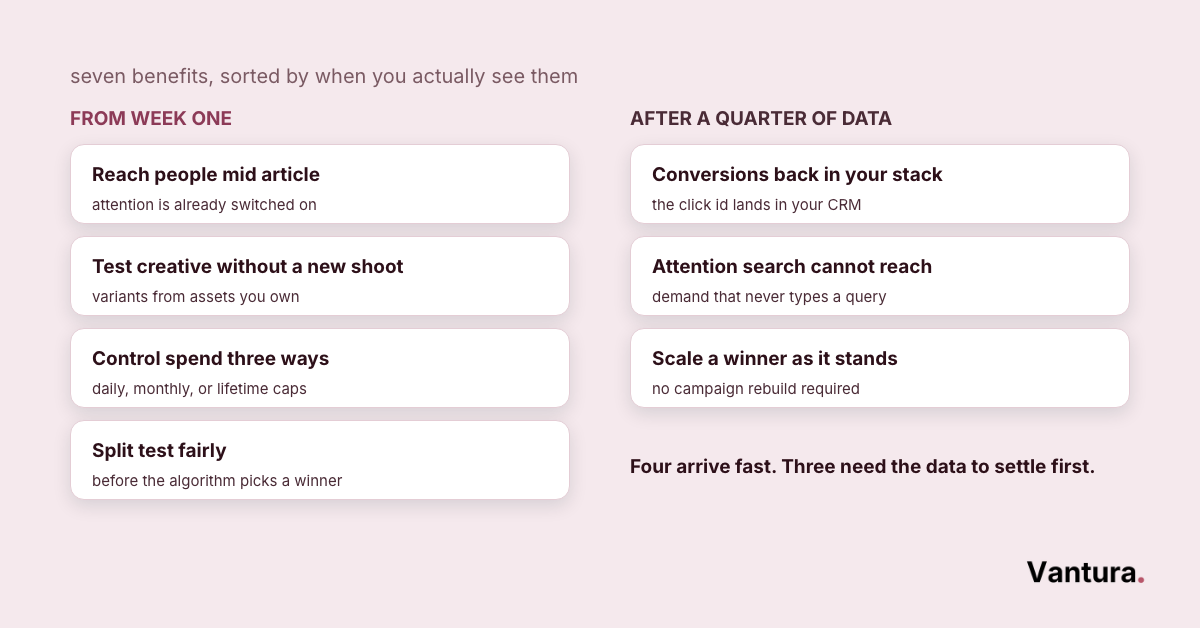
Features are only worth listing if they change something you do on Monday. These seven are the outcomes we see once an account is set up properly.
Some arrive in week one. Others need a full quarter of data before they show up in a report.
You Reach People Mid Article Instead of Mid Scroll
Native units land beside something the reader chose to open. Attention is already switched on, which is rarely true of a social feed.
That changes the job of your headline, which has to feel related rather than louder. Advertisers running Taboola Ads for health and wellness notice this fastest, because credibility beats urgency in that market.
You Can Test New Creative Without a New Shoot
The generative tools build variants from assets you already own. That turns a two week creative wait into an afternoon of work.
It won’t replace a proper shoot. It will keep a campaign alive while you plan and book one.
You Control Spend Three Different Ways
Daily, monthly, and lifetime budgets each suit a different reporting habit. Picking the one that matches your finance calendar removes a surprising amount of noise.
Pacing gives you a second lever on top of that. You can hold steady or push ahead without rebuilding anything.
You Get Conversion Data Back Into Your Own Stack
Between the pixel, server-to-server tracking, and third-party attribution links, the numbers don’t have to stay locked inside one report. You can hold them against your own source of truth.
That is the difference between reporting and knowing. Most of the Taboola Ads consulting work we do starts here, before anyone touches a bid.
You Can Split Test Fairly Before the Algorithm Picks
A/B delivery holds impressions even across your variants. It is the one honest way to compare two different concepts.
Optimized delivery is faster and usually right. It is just not evidence you can take to a board meeting.
You Buy Attention Where Search and Social Cannot Reach
Publisher pages catch people who aren’t searching and aren’t scrolling a feed. That group is hard to reach anywhere else at sensible cost.
It works best as a layer, not a replacement. In the Taboola Ads ROI work we run, it usually sits beside search rather than instead of it.
You Can Scale a Winner Without Rebuilding the Campaign
Move from Max Conversions to Target CPA once results settle, lift the budget, and change the pacing mode. The structure you built stays where it is.
Across our accounts, scaling a working native campaign takes about 6 to 9 working days before cost per action steadies again. Rushing that stretch usually costs more than waiting it out.
The 5 Hidden Gems of Taboola Ads Most Advertisers Miss
Some of the most useful settings never appear on a launch checklist. These five come up again and again in accounts we take over.
None of them are hidden on purpose. They are simply buried under the things everyone reads first.
When Taboola Ads Isn’t the Right Choice
Native advertising suits some businesses badly, and pretending otherwise wastes a quarter. The channel rewards volume, patience, and one clear conversion.
If any of those three are missing, money leaves faster than the learning comes back. No vendor holds a stake in our business, so we will say plainly when a different network fits you better.
We would rather lose the Taboola Ads agency help conversation than run a campaign that cannot work.
- Your monthly ad budget sits below a few thousand dollars
- You need leads this week rather than this quarter
- Your sale closes offline and cannot be fed back
- You sell to a named list of under 500 accounts
- Your only creative assets are a logo and a price
- You cannot commit to a monthly creative refresh
- Outbrain (closest direct rival, same publisher-page native format)
- MGID (smaller budgets and regional testing)
- Google Demand Gen (teams already running a Google account)
- Meta Ads (offers with strong visual or social proof)
- Reddit Ads (audiences that gather around specific communities)
Honest read: Native works when you can afford three months of teaching a model what a good customer looks like. If your board wants a verdict in three weeks, put the money somewhere with faster feedback and come back to this channel later.
Taboola Ads Features FAQ
Disclaimer: This article is provided for informational purposes only and does not constitute professional, legal, or financial advice. Product details, pricing, and feature availability change without notice, so confirm anything current with the vendor before you act. Vantura Marketing accepts no liability for decisions made on the basis of this content.